Position and angle of TapHome Blinds is based on timing. Micro-controller inside module that controls at least 2 digital outputs, calculates exactly how long the blind is going in up and down directions.
Types of Blinds#
There are basic 2 types of blinds:
- Blinds (with angle)
- Slide (without angle)
| Blinds | Slide |
|---|---|
  |  |
| Set Level and Angle of slats | Only possible to set Level |
Service Settings of Blinds#
Calibrate#
Start Calibrate when module is initialised (default On). When micro-controller inside the module is reset, e.g. by power loss, it loses information about position of the blinds. With this setting enabled, it will calibrate itself by going to top or bottom position after every power loss.
Module stores last position on power off (default Off). If the used hardware module supports this feature (e.g. 12DO Module), it is able to store the motor position also after power loss to the module.
Slats Angle Adjustment and Sun Orientation#
These sections are used only when Smart Rule Blinds Adjustment According to Sun is used.
Type of Blinds#
| 90º | 180º |
|---|---|
Angle of slats are in horizontal position when Angle of blinds = 0% |  Angle of slats are in horizontal position when Angle of blinds = 50% |
Azimuth and Offsets Determine When Sun Ray is Reaching the Window#
| Attribute | Description |
|---|---|
| Azimuth of the window | Degrees from North direction (0º = North, 90º = East, 180º = South, 270º = West) |
| Offset from Top | Angle from top, when sun is blocked by another object and not reaching the window |
| Offset from Bottom | Angle from bottom, when sun is blocked by another object and not reaching the window |
| Offset from Left | Angle from left, when sun is blocked by another building and not reaching the window. (0º = no obstruction, 90º = sun is blocked by another building when it comes from left side) |
| Offset from Right | Angle from right, when sun is blocked by another building and not reaching the window. (0º = no obstruction, 90º = sun is blocked by another building when it comes from right side) |
Duration#
For proper calculation it is crucial to configure following 4 duration attributes correctly:
Duration of change of position from 100% to 0% (default: 60000 ms)
- Time required for blind to travel from fully open (100%) to fully closed (0%)
Duration of change of angle from 100% to 0% (default: 750 ms)
- Time required for slats to rotate from one extreme position to another
Motor startup duration (default: 180 ms)
- Compensation time for motor acceleration
Compensation of duration for direction change (default: 200 ms)
- Time compensation when motor changes direction (accounts for inertia)
Example calculation: When changing angle in multiple steps (e.g., from 0% → 50% → 100%), the system adds startup delay and direction change compensation for each step:
- Direct change 0% → 100%: 750 ms
- Two-step change 0% → 50% → 100%: 750 ms + 180 ms (startup) + 200 ms (direction change) = 1130 ms
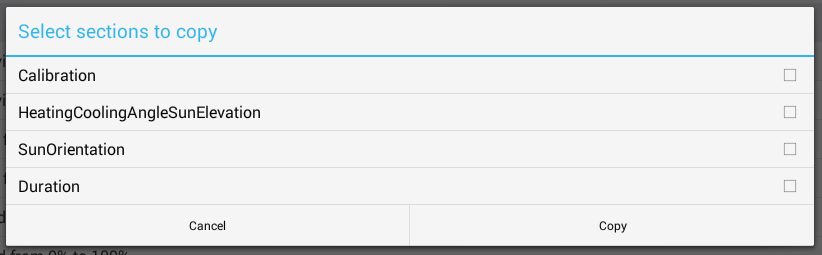
Duplicate Properties to Other Devices#
After configuring one blind properly, you can Duplicate its properties to other blinds:
- Go to the Device tab
- Select the configured blind
- Use Duplicate properties feature
- Select target devices
This copies all timing, Calibrate, and sun orientation settings to multiple devices at once.