TapHome to Amazon Alexa#
Note
At the moment, Alexa is available only for US, UK, Italian and German accounts. We are working to add more.
Alexa will only be able to control the devices you have exposed through the Alexa Interface and only on the installation you have selected while enabling the Alexa Skill.
- Open Settings -> Expose Devices and select Add new interface. Select Amazon Alexa
- Add devices to be integrated
Supported devices#
Thermostat#
ALEXA CONTROLLER ThermostatController COMMANDS Set, Adjust (lower, increase)
Alexa, set Thermostat to 20 degrees Alexa, increase the temperature on Thermostat
Digital output#
ALEXA CONTROLLER PowerController COMMANDS On, Off
Alexa, turn on switch Alexa, turn off switch
Multi-Value Switch#
ALEXA CONTROLLER ModeController, PowerController COMMANDS Set, On, Off
Alexa, set Light Scene to “All on” * Currently having issues with this option
Analog output#
ALEXA CONTROLLER PercentageController, PowerController COMMANDS Set %, Adjust, On, Off
Alexa, turn on dimmer Alexa, set dimmer to 20 percent Alexa, increase dimmer by 50 percent Alexa, lower dimmer
Blinds (with angle) *#
ALEXA CONTROLLER PercentageController COMMANDS Set Angle %, Adjust Angle
Alexa, set Blind to 20 percent Alexa, increase the Blind by 50 percent Alexa, lower the Blind
Shutters, awnings, mix valves *#
ALEXA CONTROLLER PercentageController COMMANDS Set Level %, Adjust Level
Alexa, set Awning to 20 percent Alexa, increase Awning by 50 percent Alexa, lower Awning
Support for Shutters, awnings, mix valves coming soon in Alexa.
RGB light#
ALEXA CONTROLLER ColorController, PercentageController, PowerController COMMANDS Set %, Adjust %, Set color, On, Off
Alexa, set the color on the RGB light to blue Alexa, turn off the RGB light Alexa, set the RGB light to 20 percent Alexa, increase the RGB light by 50 percent
Enabling the TapHome skill in the Alexa App#
- Open the Alexa app, or visit https://alexa.amazon.com
- Navigate to Skills & Games
- Search for TapHome and select the skill
- Click Activate skill
- You will be redirected to a TapHome login page
- Log in with your TapHome account
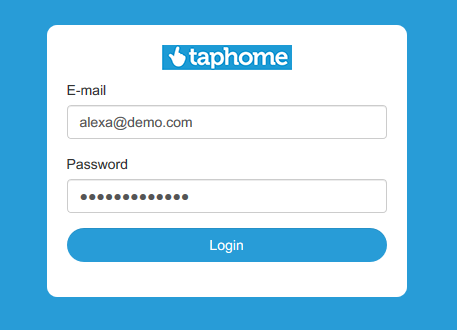
You will be redirected to a Consent page. If you have multiple installations linked to your account, you will be able to select one.
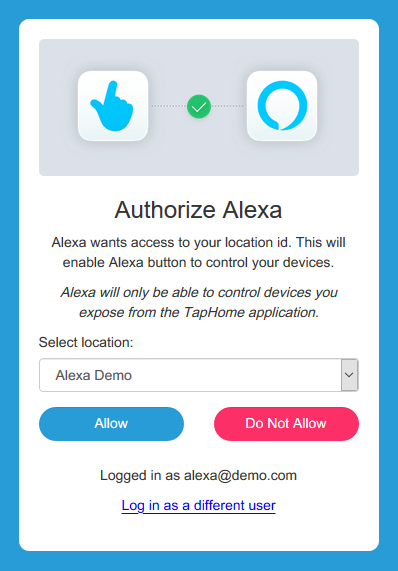
- Say “Alexa, discover devices”
- If device discovery was successful, you can see all exposed devices in Alexa app -> Devices -> All devices