The 2N is considered “the most complete product” in the SIP video doorbell category, featuring excellent build quality suitable for large installations. However, it comes with a premium price point.
Advantages#
- Most complete product in its category
- Excellent build quality
- Extensive features for complex setups
- Suitable for large installations
Disadvantages#
- Higher cost compared to alternatives
Configuration Steps#
1. Set Basic SIP Parameters#
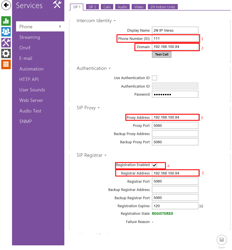
Configure the device with the following parameters:
- Phone ID: 111
- Domain: TapHome Core IP address
- Proxy Address: TapHome Core IP address
- Registrar address: TapHome Core IP address
- Enable registration to achieve REGISTERED status
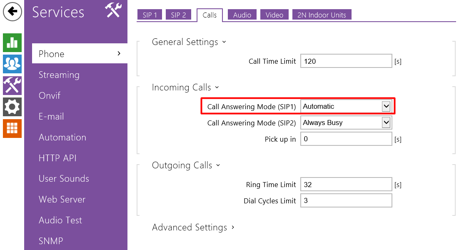
2. Configure Call Parameters#
Establish call settings through the device’s phone calls configuration interface. This prepares the doorbell for SIP communication with TapHome Core.
3. Set Audio Codec#
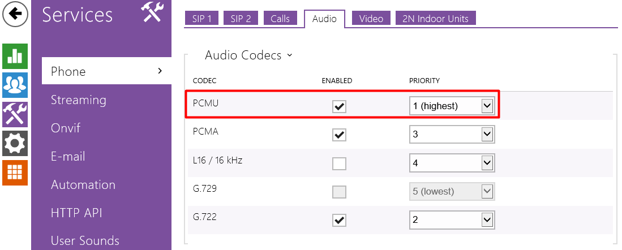
Configure audio settings:
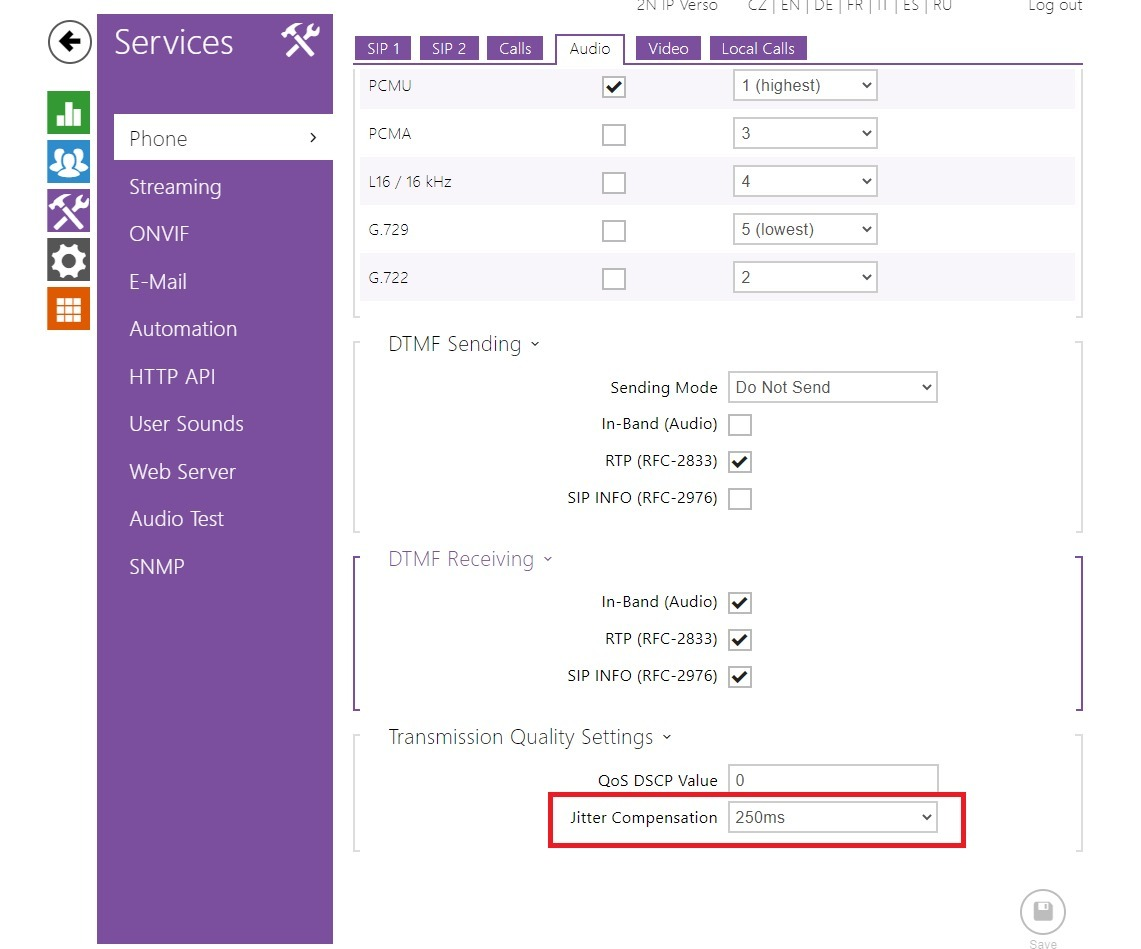
- Codec: G711 (PCMU)
- Jitter Compensation: 250ms
This ensures reliable audio transmission during calls.
4. Enable HTTP API Access#
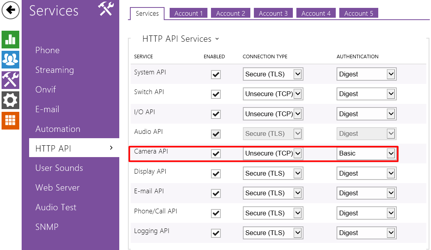
Activate “Packet parser camera access” in the device settings. This allows TapHome to retrieve video and status information from the doorbell.
5. Create HTTP User Account#
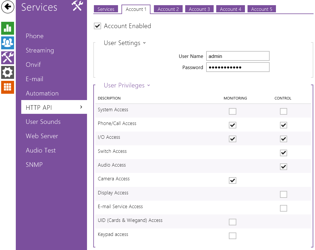
Generate an HTTP user with credentials (username and password) that will be used in TapHome as access credentials for authentication.
6. Add SIP User#
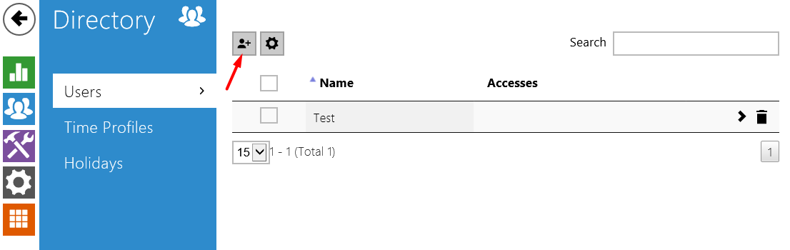
Create at least one user account within the doorbell device for call routing purposes.
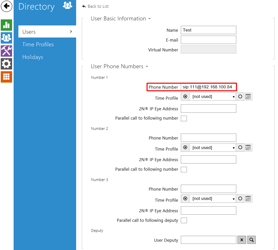
7. Configure User Phone Number#
Set the user’s phone number using the following format:
sip:nnn@CoreIpAddress
Where:
nnnis the SIP extension numberCoreIpAddressis your TapHome Core unit IP address
8. Verify Door Lock Assignment#
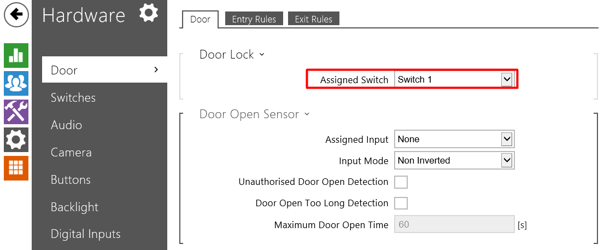
Confirm that the door lock mechanism is assigned to switch1.
9. Configure Switch Parameters#
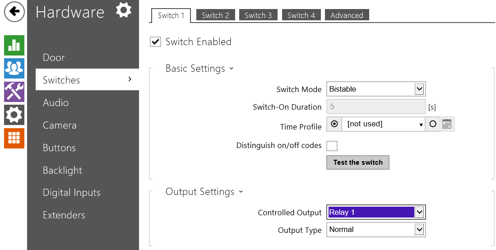
Set Switch 1 to “Bistable switch mode” for complete TapHome control over door opening operations and duration.
10. Set Quick Dial Button#
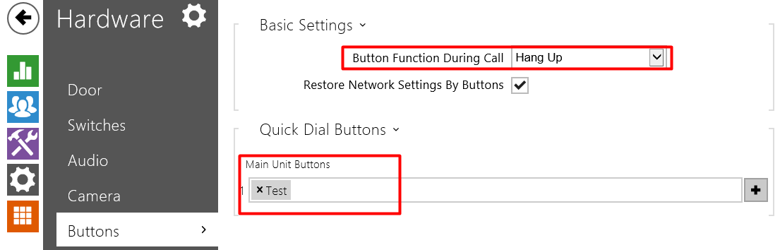
Configure the ring button with the following settings:
- Set button to call a predefined user
- Set button function during call to hang up
11. Establish Static IP Configuration#
Configure either:
- MAC-based permanent IP reservation in your router, OR
- Direct static IP assignment on the device
This prevents device address changes that could disrupt connectivity.
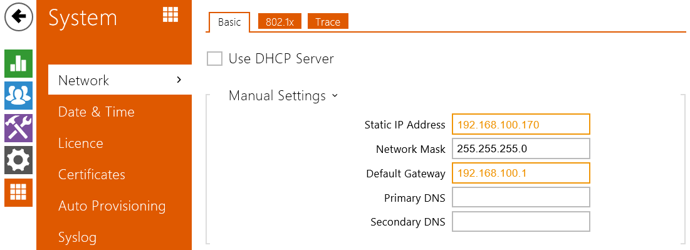
Example static IP: 192.168.100.170